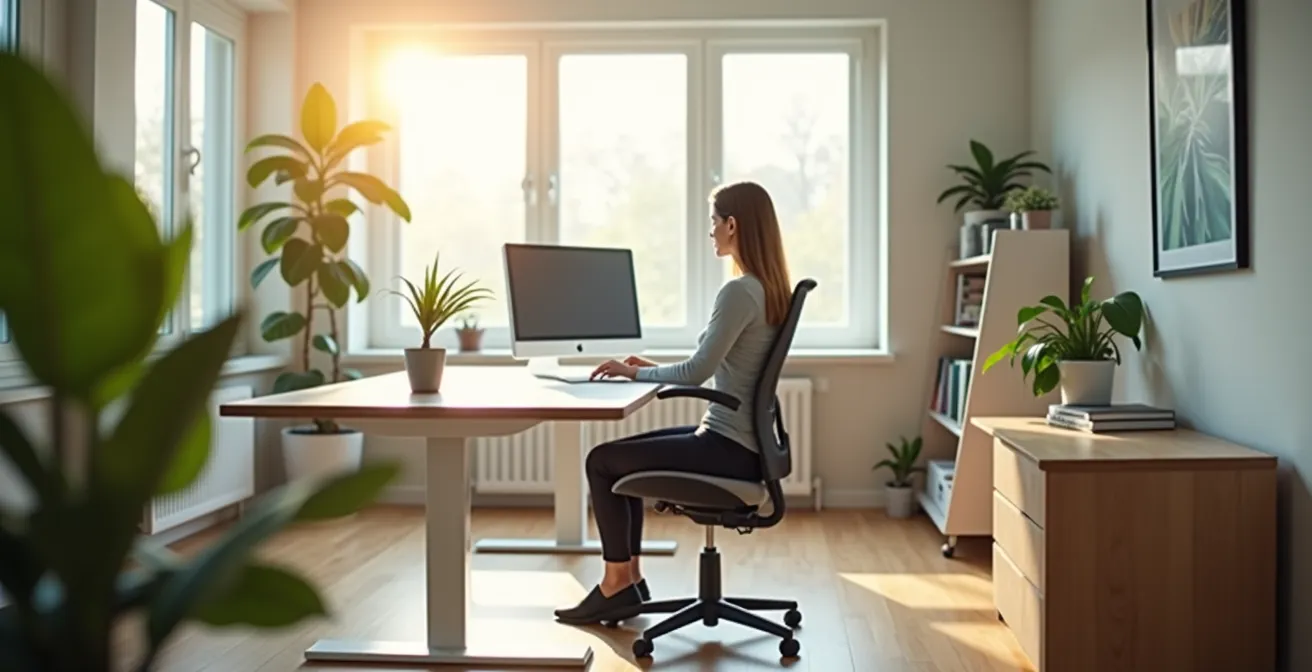
The key to a pain-free home office isn’t expensive gear, but engineering a sensory ecosystem that manages light, sound, and movement.
- Postural fluidity—alternating between sitting, standing, and perching—is more critical for health than a standing desk alone.
- Strategic lighting and room acoustics directly combat “Zoom gloom” and reduce the perceptual strain of constant video calls.
Recommendation: Start by auditing your current setup for environmental cues and micro-habit triggers, not just for the furniture you own.
The dull, persistent ache in your lower back. The drained, foggy feeling after a day packed with video calls. For millions of remote workers, these sensations have become an unwelcome part of the daily routine. In the rush to adapt to working from home, many have grabbed a laptop and settled onto the nearest “comfy” surface, inadvertently creating a minefield of musculoskeletal and mental strain. The standard advice often feels generic and unhelpful: “buy an ergonomic chair,” “get a standing desk,” “take more breaks.” These tips, while well-intentioned, treat the symptoms without addressing the root cause.
But what if the solution isn’t just about the objects in your office, but about consciously engineering a holistic sensory ecosystem? What if preventing pain and fatigue is less about maintaining static positions and more about managing dynamic environmental cues—the light you see, the sounds you hear, and the movements you make? This approach transforms your workspace from a passive container into an active partner in your health. It acknowledges that “Zoom fatigue” is a real form of perceptual strain, and that physical pain is often a symptom of a poorly designed environment.
This guide will walk you through building that system, piece by piece. We will deconstruct common myths about “comfortable” workspaces, provide actionable frameworks for optimizing your light and sound, and introduce the concept of “postural fluidity” as the true antidote to the sitting disease. Finally, we’ll explore how to establish powerful rituals that allow you to mentally and physically disconnect, ensuring your work-from-home life supports your long-term well-being.
This article provides a comprehensive roadmap to transform your workspace. Below, the summary details the key areas we will cover, from foundational ergonomics to advanced strategies for mental wellness, to help you build a healthier and more productive home office.
Summary: How to Engineer a Pain-Free and Productive Home Office
- Why Your “Comfy” Sofa Is Destroying Your Lower Back During Work Hours?
- How to Light Your Face for Video Calls to Look Professional and Alert?
- Headset or External Mic: Which Is Better for Blocking Background Noise?
- The “Sitting Disease” Risk That Standing Desks Don’t Fully Solve
- How to Create a “Closing Time” Ritual to Mentally Disconnect From Work?
- How to Use Technology to Simplify Your Daily Routine Instead of Complicating It?
- How to Balance High-Tech Efficiency With Mental Wellness in a Hyper-Connected World?
- How to Build a Preventative Health Plan That Goes Beyond Annual Checkups?
Why Your “Comfy” Sofa Is Destroying Your Lower Back During Work Hours?
That plush sofa feels like a welcoming oasis, but for your spine, it’s a trap. Unlike an office chair designed for support, sofas encourage a C-shaped spinal slump. This posture places immense pressure on your lumbar discs, flattens the natural curve of your lower back, and forces the muscles in your neck and shoulders to overcompensate to keep your head upright. The soft cushions provide no stable base for your pelvis, causing it to tilt backward and exacerbating the strain. Over time, this “comfortable” position leads to muscle deconditioning, chronic pain, and a higher risk of injury.
The common advice is to simply avoid the sofa altogether, but that isn’t always practical. Instead of an outright ban, the goal is to *engineer* this non-traditional workspace to mitigate harm. This means actively counteracting the sofa’s ergonomic flaws. The principle is to bring the support to you. By introducing firm surfaces and supports, you can transform a posture-destroying environment into a temporarily viable one. This isn’t a permanent solution, but a strategy for short-term work sessions when a proper desk isn’t an option.
The key is to create a structure that mimics the support of a real chair. Think of it as building a temporary ergonomic scaffold around your body. A firm pillow for lumbar support, a lap desk to elevate your screen, and ensuring your feet are properly grounded can make a significant difference. The following checklist provides a framework for auditing and improving any non-standard workspace.
Your 5-Point Workspace Health Audit
- Points of contact: List all channels where physical strain occurs (neck, back, wrists, eyes).
- Collecte: Inventory your existing setup (chair type, desk height, monitor position).
- Coherence: Compare your posture against ergonomic ideals (90-degree angles at knees and elbows, screen at eye level).
- Mémorabilité/émotion: Identify pain points versus moments of comfort. Is “comfort” leading to bad posture?
- Plan d’intégration: Prioritize 1-2 immediate changes (e.g., adding a lumbar pillow, raising your laptop on books).
Ultimately, while these modifications can help, they are a compromise. The best strategy remains limiting sofa work and transitioning to a dedicated, properly designed workspace for the majority of your day.
How to Light Your Face for Video Calls to Look Professional and Alert?
Poor lighting on video calls does more than make you look unprofessional; it contributes directly to perceptual strain, or “Zoom gloom.” When your face is poorly lit, others on the call (and you, seeing your own reflection) must strain to read your facial expressions. This subconscious effort, compounded over hours, is mentally exhausting. Harsh overhead lighting creates unflattering shadows, while backlighting turns you into a silhouette. Both force the brain to work harder to process visual information, draining your energy.
The solution is to control the light in your environment with a strategy used by photographers for decades: three-point lighting. This doesn’t require an expensive studio. It’s a principle you can replicate with simple desk lamps and natural light. The goal is to illuminate your face evenly, separate yourself from the background, and eliminate distracting shadows. This creates a clear, professional image that is easy for others to “read,” reducing cognitive load for everyone on the call.
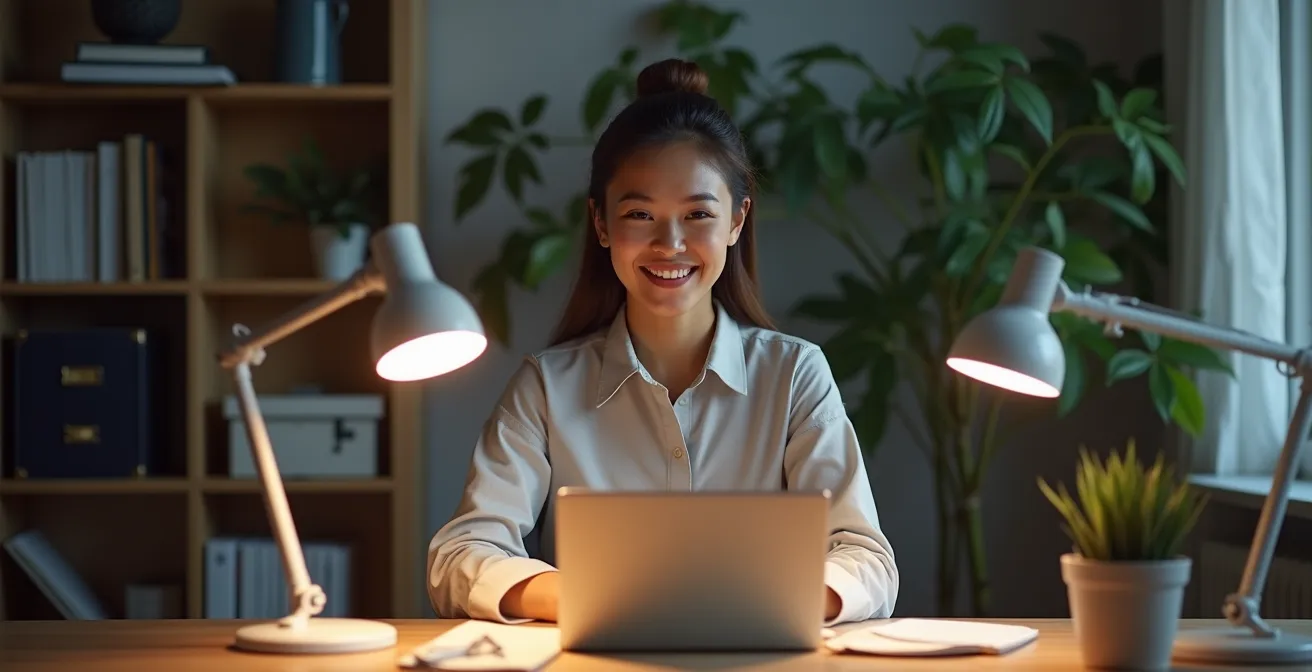
As you can see in the setup above, the key is using multiple light sources with different purposes. Your primary light (Key Light) should be your brightest, positioned to one side. A softer light on the opposite side (Fill Light) reduces shadows, and a light from behind (Back Light) creates depth. Mastering this setup is a critical component of building your home office sensory ecosystem.
The following table breaks down the three-point lighting system into its core components. Using this as a guide, you can audit your current lighting and make strategic adjustments to dramatically improve your on-camera presence and reduce video fatigue.
| Light Type | Position | Color Temperature | Purpose |
|---|---|---|---|
| Key Light | 45° to side at eye level | 5000-6500K (cool) | Primary face illumination |
| Fill Light | Opposite side, lower intensity | 4000-5000K (neutral) | Reduce shadows |
| Back Light | Behind, above head | 3000-4000K (warm) | Separate from background |
Experimenting with the placement and intensity of your light sources is key. Even using a window as your key light and a simple desk lamp as your fill can make a world of difference in how you look and feel on camera.
Headset or External Mic: Which Is Better for Blocking Background Noise?
The audio quality of your calls is just as crucial as the visual. Poor audio, whether it’s your voice being muffled or background noise leaking through, forces listeners to strain. This auditory effort contributes significantly to the cognitive burden of remote meetings. The choice between a headset and an external microphone isn’t just about technical specifications; it’s about controlling your acoustic environment.
A headset with a boom mic is generally superior for blocking background noise. Because the microphone is positioned close to your mouth, it’s designed to capture your voice primarily and reject ambient sounds like typing, pets, or household chatter. This is a targeted, personal solution. An external condenser microphone, on the other hand, is designed to capture rich, detailed sound from a wider area. While this can result in higher-quality audio in a quiet, controlled room, it will also pick up every echo and background noise in a typical home office.
However, the microphone is only half the battle. As a Brown University Health study on work-from-home ergonomics found, the room itself plays a massive role. Workers in environments with poor acoustics and high ambient noise reported not only reduced focus but also increased vocal strain from having to speak louder. The study highlighted that improving the acoustic environment with simple additions had a measurable impact on well-being. Your room’s surfaces—hardwood floors, bare walls, large windows—reflect sound, creating echo and reverberation that even the best microphone will struggle with. Taming your room’s acoustics is a foundational step in managing your sensory ecosystem.
Acoustic Engineering for Home Offices
- Add area rugs to hard floors to absorb sound reflections
- Hang heavy curtains or acoustic panels on walls to reduce echo
- Position bookshelves filled with books as natural sound absorbers
- Place soft furniture strategically to break up sound waves
- Use door draft stoppers to prevent sound leakage between rooms
For most remote workers in a shared or unpredictable home environment, a quality noise-canceling headset offers the most reliable solution for both clear communication and personal focus.
The “Sitting Disease” Risk That Standing Desks Don’t Fully Solve
The “sitting disease” has been widely publicized, leading many to believe that a standing desk is the ultimate cure. While reducing sedentary time is crucial, the narrative that simply switching from sitting to standing solves the problem is dangerously incomplete. The real issue isn’t sitting itself, but prolonged static posture of any kind. Staying in one position for hours on end—whether sitting or standing—impedes circulation, strains muscles, and puts pressure on your body.
In fact, prolonged standing comes with its own set of health risks. A surprising 2024 Australian study of over 83,000 participants found that standing for extended periods can be detrimental. The research revealed that prolonged standing was associated with an increased circulatory disease risk by 11% for every extra 30 minutes beyond two hours per day. This is because standing motionless can cause blood to pool in the lower legs, putting strain on the vascular system. As population health researcher Matthew Ahmadi explains, this risk is specific to being stationary.
We’re not seeing the risk of orthostatic diseases when someone’s walking around. We’re seeing it mainly when they’re standing stationary, standing still, because you get that blood pooling in the lower extremities.
– Matthew Ahmadi, University of Sydney population health study
The true solution is not to replace one static posture with another, but to embrace postural fluidity. This means creating a workspace that encourages frequent changes in position throughout the day. An adjustable-height desk is a tool for achieving this fluidity, not an end in itself. The goal is to cycle between sitting, standing, and even other positions like perching on a stool or using a balance board. This constant, subtle movement keeps muscles engaged, promotes healthy circulation, and prevents the strain associated with any single posture.
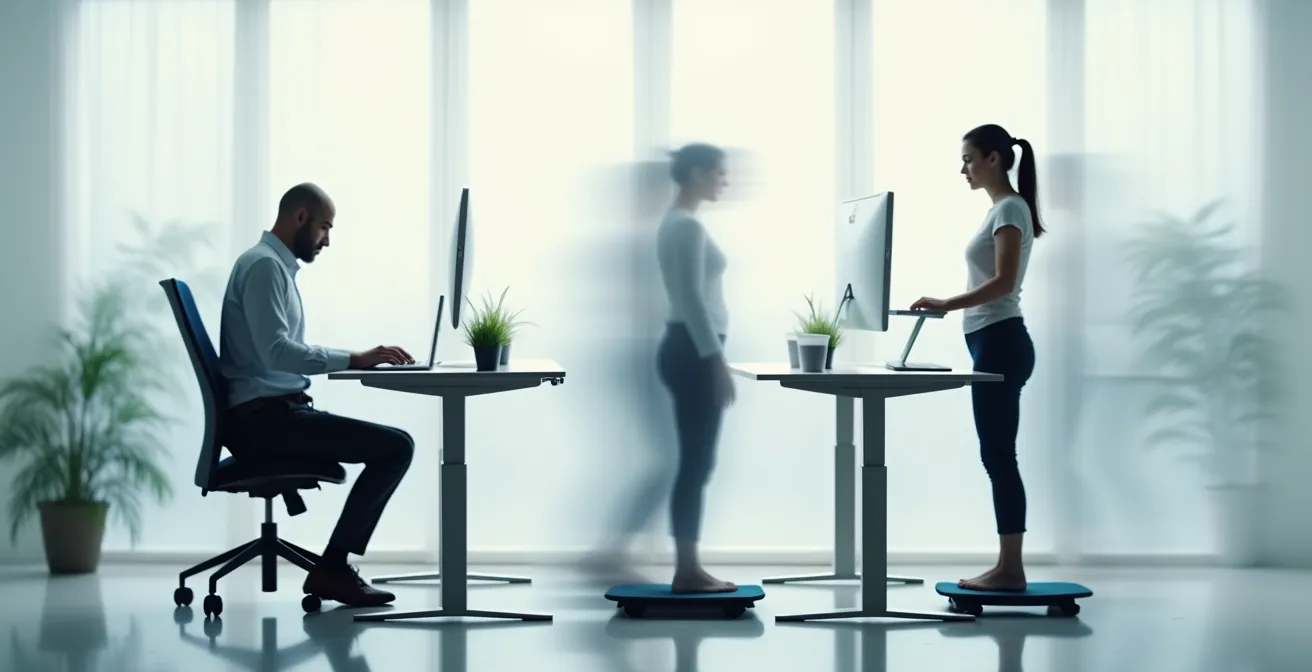
Think of your workday in terms of postural variety. Aim to change your position at least every 30-45 minutes. This dynamic approach is the most effective strategy for preventing the physical pain and long-term health risks of a desk-bound job.
How to Create a “Closing Time” Ritual to Mentally Disconnect From Work?
When your office is also your living room, the workday never seems to end. The lack of a physical commute removes the natural buffer that once signaled the transition from “work mode” to “home mode.” Without this separation, your brain can remain in a state of high alert, making it difficult to relax, be present with family, and get restorative sleep. This chronic lack of disconnection is a major driver of burnout. The key to reclaiming your evenings is to create an intentional disconnection ritual.
This isn’t just about closing your laptop. A powerful shutdown ritual engages multiple senses to send a clear signal to your brain that the workday is over. By changing the light, sound, and even the clothes you wear, you create strong environmental cues that trigger a psychological shift. This is the final and perhaps most important piece of your home office sensory ecosystem: managing the transition out of it. Just as you have a routine to start your day, you need one to formally end it.
The ritual doesn’t need to be long or complicated, but it must be consistent. It’s the consistency that builds the habit and teaches your brain to respond to the cues. It’s about drawing a firm, tangible line in the sand. You are telling yourself: “My professional responsibilities for today are complete. I am now transitioning to my personal life.” This conscious act of closure is a powerful tool for protecting your mental wellness and preventing the creep of work into every corner of your life.
Multi-Sensory Shutdown Ritual Steps
- Change lighting from cool to warm bulbs (3000K) to signal end of work
- Start aromatherapy diffuser with lavender or chamomile essential oils
- Play specific ‘end-of-day’ playlist with calming music
- Change from work clothes to comfortable home attire
- Clear desk surface and close laptop to create visual boundary
- Take 5-minute walk or stretch routine to transition physically
Choose a few steps that resonate with you and practice them daily. Over time, this small habit will become a powerful anchor that helps you fully disengage and recharge for the day ahead.
How to Use Technology to Simplify Your Daily Routine Instead of Complicating It?
Technology in the home office is a double-edged sword. It can be a source of immense productivity or a cause of constant distraction and complexity. The endless notifications, the tangle of wires, and the need to manage multiple apps and devices can add to our cognitive load. The goal is to make technology a seamless and supportive part of your sensory ecosystem, not a source of friction. This means being intentional about the tools you use and automating repetitive tasks to free up mental energy.
One of the biggest culprits of technological complication is visual clutter and eye strain. With an average workday involving hours of screen time, it’s no surprise that, according to Vision Council research, 65% of Americans suffer from digital eye strain symptoms. This includes dry eyes, headaches, and blurred vision. Simplifying your digital workspace by using window management tools to organize apps, or employing focus apps to block distractions, can significantly reduce this strain. The principle is to reduce “decision fatigue” by having technology work for you in the background.
Beyond the screen, smart home technology can be leveraged to automate your physical environment. Imagine your lighting automatically shifting from cool, focus-enhancing tones during the day to warm, relaxing hues in the evening as part of your shutdown ritual. Or having a specific “deep work” playlist start automatically when you sit at your desk. These small automations reduce the number of micro-decisions you have to make, preserving your focus for the tasks that truly matter.
The following table compares different types of automation tools that can help simplify your workspace. By thoughtfully integrating these, you can reduce friction and make your technology a true asset for productivity and well-being.
| Tool Type | Function | Setup Complexity | Impact on Productivity |
|---|---|---|---|
| Smart Home Routines | Automate lighting, temperature, music | Medium | High – reduces decision fatigue |
| Window Management | Organize digital workspace | Low | High – instant organization |
| Multi-Device Switching | Seamless device transitions | Low | Medium – reduces friction |
| Focus Apps | Block distractions, enforce breaks | Low | High – protects deep work time |
Start with one small automation. Whether it’s setting up a focus timer or a simple smart plug for your desk lamp, each step toward simplification helps build a more streamlined and less stressful work environment.
How to Balance High-Tech Efficiency With Mental Wellness in a Hyper-Connected World?
In a home office optimized for high-tech efficiency, it’s easy to lose touch with the natural world. A sterile, technology-driven environment can feel isolating and increase stress, even if it’s perfectly ergonomic. Balancing this efficiency with mental wellness requires consciously reintroducing elements of nature into your workspace, a practice known as biophilic design. This is about more than just adding a potted plant to your desk; it’s about creating a space that soothes the mind and reduces the strain of being constantly connected.
The positive impact of biophilic design on mental and physical health is well-documented. Bringing natural elements indoors—such as plants, natural light, wood textures, and even images of nature—has been shown to lower stress levels, improve focus, and boost creativity. It serves as a powerful counterbalance to the cold, hard surfaces of our technology. In the context of our sensory ecosystem, biophilic elements provide a crucial “soft” input that calms the nervous system.
This approach has tangible benefits for combating perceptual strain. A comprehensive 2023 meta-analysis published in *Scientific Reports* found a significant link between biophilic design and visual comfort. The research concluded that workers in office environments with natural elements like plants and views of nature reported 15% lower eye strain symptoms compared to those in conventional, sterile setups. These natural focal points give our eyes a place to rest, providing a much-needed break from the relentless glow of the screen.
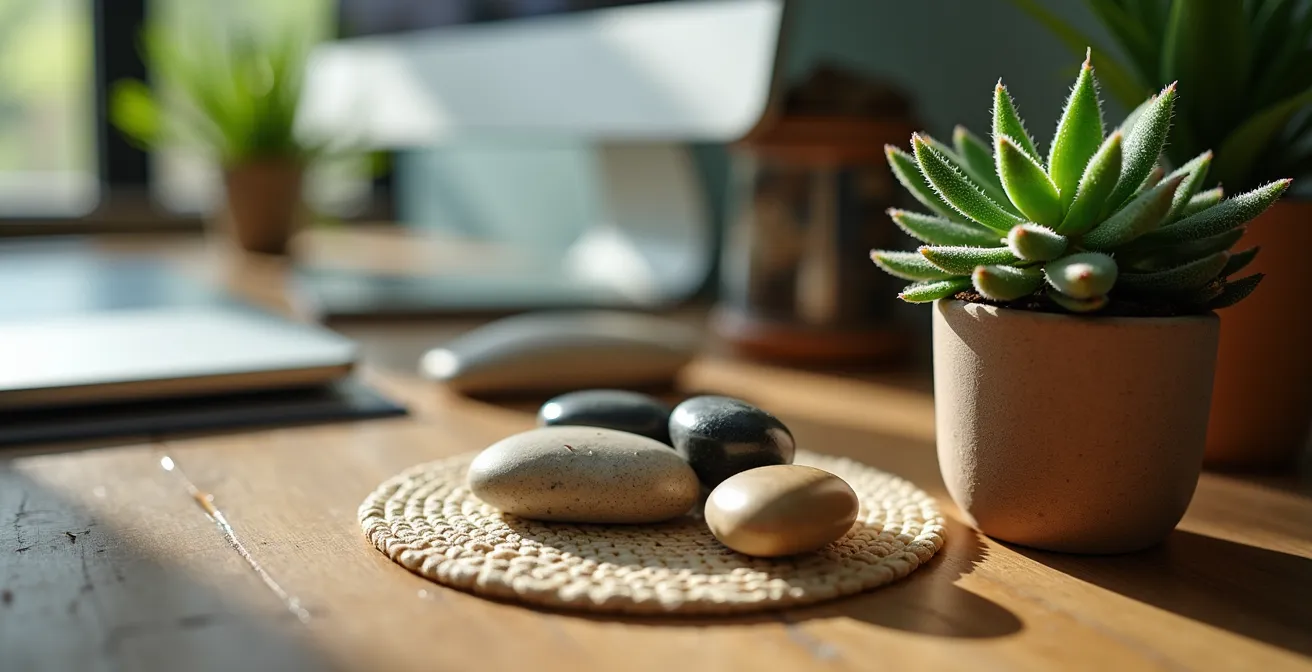
Integrating biophilia can be simple. Start by placing a few low-maintenance plants on your desk or a nearby shelf. Position your desk to maximize natural light or, if that’s not possible, hang a high-quality photograph of a natural landscape in your line of sight. Incorporate natural materials like a wood desk accessory or a wool seat cushion. Create a small, designated “no-tech” zone within your office, perhaps a comfortable chair by a window, where you can take short breaks to read or simply look outside. These small touches weave moments of natural calm into the fabric of your high-tech workday.
By intentionally designing a space that nurtures your mind as well as your productivity, you create a truly sustainable and supportive home office environment.
Key Takeaways
- The goal is “postural fluidity,” not a static standing position. Frequent movement is the key to preventing physical pain.
- Your environment’s sensory cues—especially light and sound—directly impact your mental energy and contribute to “Zoom fatigue.”
- Creating a distinct “closing time” ritual is a non-negotiable for mentally disconnecting from work and preventing burnout.
How to Build a Preventative Health Plan That Goes Beyond Annual Checkups?
Engineering a healthy home office is not a one-time fix; it’s the foundation of a broader, proactive approach to your well-being. The ergonomic principles discussed—managing light, sound, and movement—are daily practices that form a powerful preventative health plan. This plan goes far beyond a yearly doctor’s visit by actively mitigating the daily stressors that accumulate and lead to chronic issues. The modern remote work lifestyle presents unique health challenges, and our response must be equally modern and continuous.
The stakes are high. The cumulative effect of a sedentary work life has a profound impact on long-term health. A landmark 2024 study published in JAMA Network Open found that prolonged sitting was associated with a 16% higher risk of mortality from all causes and a staggering 34% higher risk from cardiovascular disease. These figures underscore the urgency of integrating movement and preventative care into the very structure of our workday. We cannot afford to be passive about our health.
Building this plan means embedding small, consistent health-promoting habits into your routine. This is where daily mobility comes in. Short, targeted stretching and movement breaks performed throughout the day can counteract the negative effects of static posture. These “micro-doses” of movement keep your muscles pliable, your joints mobile, and your circulation flowing. They are the active component of your ergonomic setup, turning a static environment into a dynamic one that supports your body’s needs.
Daily Mobility Plan for Desk Workers
- Perform standing backbend stretch every hour to counteract forward posture
- Do seated spinal twists (30 seconds each side) every 2 hours
- Practice wrist flexor/extensor stretches before and after typing sessions
- Execute neck rotations and shoulder rolls between video calls
- Complete hip flexor stretches during lunch break
- End workday with 5-minute full-body stretching routine
Your home office is the front line of your personal health strategy. By treating it not just as a place to work, but as an environment to be engineered for well-being, you are making a profound investment in your future health. Begin today by implementing just one of these ergonomic principles to start building your long-term preventative health plan.