A truly stable smart home isn’t bought, it’s architected. The root of instability isn’t a weak Wi-Fi signal, but a dependency on cloud services that create single points of failure.
- Prioritize local-first processing so that core automations (lights, heating, security) function without an internet connection.
- Isolate IoT devices on a separate network segment (VLAN) to contain security threats and reduce network congestion.
- Use a mix of protocols like Thread and Z-Wave for low-power devices, reserving Wi-Fi for high-bandwidth needs.
Recommendation: Shift your mindset from connecting devices to engineering a system. Start by auditing your network for single points of failure and implementing local control wherever possible.
You have a house full of “smart” devices, yet you live with a constant, low-level frustration. The voice command that fails for no reason. The smart bulb that becomes a “dumb” bulb after a brief internet outage. The security camera feed that buffers endlessly. You’ve been told the solution is a better Wi-Fi router or to stick with a single brand, but the problems persist. These are symptoms, not the disease. The core issue is a fundamental flaw in how most consumer smart homes are designed: they are brittle, cloud-dependent, and lack a robust network architecture.
The conventional approach creates a collection of gadgets that communicate with a distant server, making your internet connection a critical single point of failure (SPOF). When it fails, your home’s IQ plummets. This is not how professional, mission-critical systems are built. The real solution lies in thinking like a network engineer, not a consumer. It requires shifting focus from the devices themselves to the underlying infrastructure that connects them. The goal is to build a resilient, secure, and self-sufficient local network that treats the internet as a useful feature, not a lifeline.
This guide abandons the simplistic advice. Instead, we will explore the engineering principles for building a truly stable IoT ecosystem. We will focus on three pillars: implementing protocols designed for local-first reliability, architecting network segmentation for security and performance, and designing fail-safe configurations for your most critical devices. By embracing this architectural approach, you can transform your collection of fragile gadgets into a cohesive and dependable system that works, every time.
This article provides a technical roadmap to building that resilient system. We will break down the essential protocols, security measures, and device-level strategies required to achieve true smart home stability, guiding you through each critical component of a professionally architected IoT environment.
Summary: How to Engineer a Resilient IoT Ecosystem
- Why the New “Matter” Standard Changes Everything for Smart Home Compatibility?
- How to Set Up a Guest Network specifically for IoT Devices to Protect Privacy?
- Wi-Fi or Z-Wave: Which Protocol Is Better for Large Homes?
- The Default Password Mistake That Opens Your Smart Cameras to Hackers
- How to Chain Commands in Voice Assistants to Perform Complex Morning Routines?
- How to Design an LED Lighting Plan That Enhances Mood and Saves Energy?
- How to Use Smart Thermostats to Cut Heating Bills Without Sacrificing Comfort?
- How to Design a Solar Landscape Lighting Scheme That Stays Bright All Night?
Why the New “Matter” Standard Changes Everything for Smart Home Compatibility?
The promise of a universally compatible smart home has been a persistent challenge, with users trapped in walled gardens of competing ecosystems. The Matter protocol is the first serious attempt to solve this at an industry level, but its true value isn’t just about making a Google lightbulb talk to an Apple hub. From an engineering perspective, its most significant contribution is the mandatory support for local control. Unlike many legacy Wi-Fi devices that rely on cloud servers for every command, Matter-certified devices can communicate directly with controllers on your home network.
This fundamentally alters the reliability equation. By leveraging local network communication—often over a low-power mesh protocol called Thread—Matter eliminates the internet as a single point of failure for basic operations. When your internet goes down, a Matter-based routine to turn on your lights will still execute instantly. This shift from cloud-dependency to a local-first architecture is the cornerstone of a resilient system. The protocol’s adoption has been widespread, with over 256 organizations backing Matter, supporting more than 41 device categories, signaling a definitive move toward this more stable model.
The introduction of Thread as a primary transport layer for Matter is also critical. Thread creates a self-healing mesh network specifically for low-power IoT devices like sensors and lights. Each mains-powered Thread device acts as a router, extending the network’s range and reliability. This is far more robust than a traditional Wi-Fi setup where every device competes for bandwidth and relies on a single central router. For example, the Nanoleaf Essentials A19 bulbs, using Matter over Thread, have demonstrated exceptional stability, with users reporting zero disconnections over months when paired with a Thread border router. This stands in stark contrast to Wi-Fi-only bulbs that often suffer from frequent dropouts.
Ultimately, Matter isn’t just another standard; it’s a philosophical shift. It provides the architectural blueprint for an ecosystem where devices are interoperable, secure, and, most importantly, not crippled by a temporary loss of internet connectivity.
How to Set Up a Guest Network specifically for IoT Devices to Protect Privacy?
Using your router’s guest Wi-Fi for IoT devices is a common recommendation, and it’s a step up from nothing. It provides basic isolation. However, from a network engineering standpoint, it’s a crude tool. A more robust and secure method is network segmentation using Virtual LANs (VLANs). A VLAN allows you to create logically separate networks on the same physical hardware. This means your smart TV, cameras, and smart plugs can live in their own digital “room,” completely unable to see or interact with your trusted devices like laptops and phones, even though they use the same router and wiring.
The need for this level of isolation is not theoretical. According to the 2024 IoT Security Landscape Report, home networks face an average of 10 attacks every 24 hours, with a significant percentage targeting vulnerable smart devices. If a hacker compromises a smart plug on a flat network, they potentially have a foothold to access your personal computer. A VLAN contains that threat completely. The compromised device can only talk to the internet and other devices within its own VLAN, not your primary network.
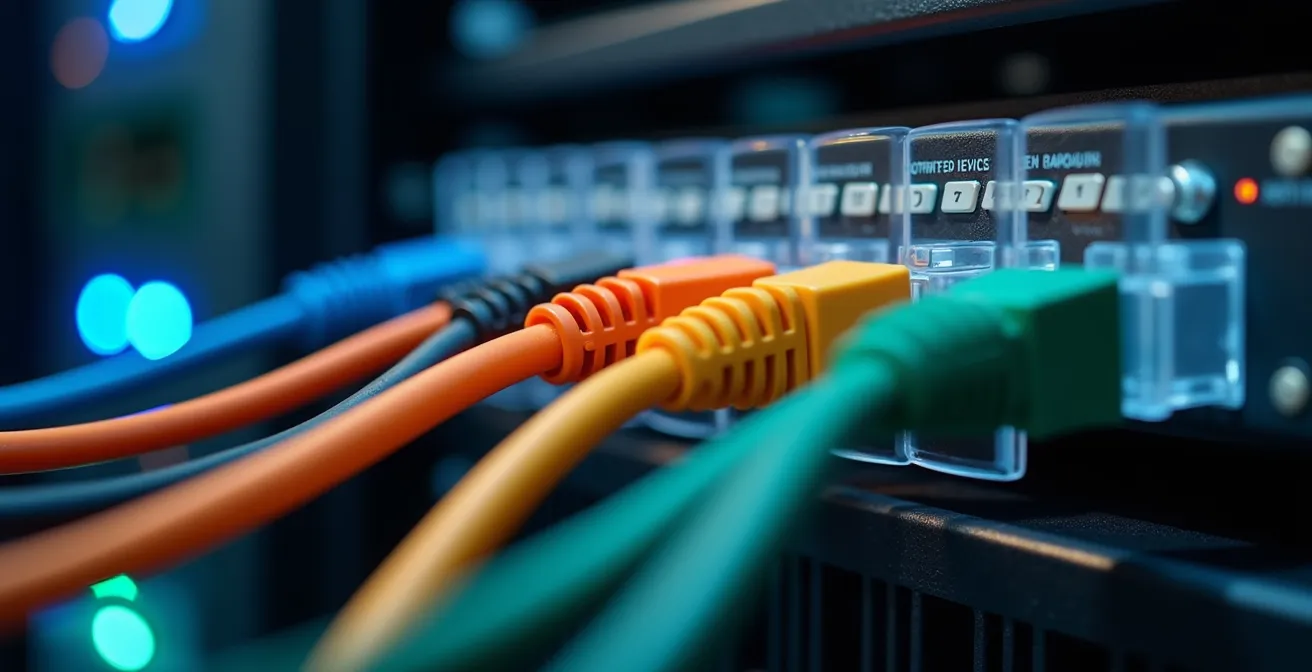
Implementing a VLAN requires a managed switch and a router that supports VLAN tagging. The setup involves creating a new network (e.g., VLAN 20 for IoT) and then configuring firewall rules. A typical rule set would be:
- Allow the IoT VLAN to access the internet for updates.
- Block all traffic from the IoT VLAN to your main “trusted” VLAN.
- Allow traffic from the trusted VLAN to the IoT VLAN, so you can still control your devices from your phone.
A compelling real-world example is provided by engineer David Mello, who successfully isolated his IoT devices using Ubiquiti hardware. He created a dedicated VLAN with strict firewall rules that prevented any compromised IoT device from accessing his trusted computers, effectively building a digital moat around his sensitive data while maintaining full functionality.
While a guest network is a start, a VLAN is the definitive solution for architecting a secure and segmented smart home, treating your IoT devices as untrusted guests by design.
Wi-Fi or Z-Wave: Which Protocol Is Better for Large Homes?
This question presents a false dichotomy. A resilient smart home, especially a large one, shouldn’t rely on a single protocol. The correct engineering approach is to use each for its intended purpose, creating a multi-protocol system. Wi-Fi is a high-bandwidth, power-hungry protocol designed for data-intensive tasks like streaming video. It is not optimized for the dozens of low-data, low-power devices like sensors, locks, and switches that form the backbone of a smart home. Relying solely on Wi-Fi for these devices leads to network congestion, battery drain, and reliability issues, especially as the number of devices and the size of the home increase.
Low-power mesh protocols like Z-Wave and Thread (used by Matter) are purpose-built for this role. They operate on a different frequency than Wi-Fi, reducing interference. More importantly, they create a mesh network, where each mains-powered device acts as a repeater, extending the network’s range and healing it if one node fails. A Z-Wave door sensor at the far end of the house doesn’t need to reach the central hub; it only needs to reach the nearest Z-Wave light switch, which then relays the signal. This creates a far more robust and scalable network than the hub-and-spoke model of Wi-Fi.
As industry expert Calvin notes in the Particle IoT Guide, the limitations of Wi-Fi become clear with scale:
For any device that’s moving even a few-hundred feet, you can’t use WiFi because it’s not going to have access to the same WiFi network across those different places where it needs to operate.
– Calvin, Particle IoT Guide
The choice becomes clear when comparing their core attributes. A protocol’s ability to operate locally, its power consumption, and its mesh capabilities are the critical factors for a stable system.
| Protocol | Range | Power Usage | Mesh Capability | Offline Operation |
|---|---|---|---|---|
| Wi-Fi 6 | 15-45m indoors | High | Limited | Router-dependent |
| Z-Wave | 30m per hop | Low | Native mesh | 100% local |
| Thread/Matter | 30m per device | Very Low | Self-healing mesh | Fully local |
| Zigbee | 10-20m | Very Low | Large mesh networks | Hub-local |
The optimal architecture for a large home uses a hybrid model: Wi-Fi for computers, phones, and streaming devices; Z-Wave or Thread/Matter for sensors, switches, locks, and thermostats. This segregates traffic and leverages the strengths of each protocol to build a resilient, multi-layered ecosystem.
The Default Password Mistake That Opens Your Smart Cameras to Hackers
Leaving the default password on any network device is a cardinal sin of security engineering. For IoT devices, and especially internet-facing smart cameras, it’s the equivalent of leaving your front door wide open with a “welcome” sign. Hackers constantly run automated scripts that scan for devices using known default credentials like “admin/admin” or “user/password”. The default password isn’t a suggestion; it’s a temporary placeholder that must be changed during setup. Failing to do so is the single most common and dangerous mistake smart home users make.
The threat is distributed across a wide range of seemingly innocuous devices. While cameras are a prime target, the 2024 threat report reveals that vulnerabilities are widespread, with 18% found in smart plugs and 13% in DVRs. Every insecure device on your network is a potential entry point. A compromised smart plug could be used to launch attacks against other devices, or a hacked DVR could be used to spy on your network traffic. Security is only as strong as its weakest link, and a device with a default password is a very weak link.

Securing your IoT ecosystem requires a systematic “hardening” process that goes beyond just passwords. It involves a multi-layered defense strategy. This includes disabling features like Universal Plug and Play (UPnP), which can automatically open ports on your router to the internet without your knowledge, creating backdoors for attackers. It also means enabling two-factor authentication (2FA) wherever possible and creating specific firewall rules on your VLAN to block any unnecessary communication. A smart camera, for instance, has no legitimate reason to communicate with your smart thermostat.
Your Action Plan: IoT Security Hardening Checklist
- Device Inventory: List all IoT devices on your network and their IP addresses. Identify the make, model, and firmware version.
- Credential Audit: Go through each device’s admin interface and change the default password to a unique, 16+ character passphrase. Store it in a password manager.
- Network Configuration: Disable UPnP on your router. Ensure your IoT devices are on a dedicated, isolated VLAN with strict firewall rules blocking access to your trusted network.
- Feature Lockdown: Disable any remote access features or cloud services you do not use. Turn off unnecessary protocols on a per-device basis (e.g., Telnet, FTP).
- Firmware Update Plan: Check for firmware updates for all devices. Schedule a quarterly review to patch any new vulnerabilities discovered.
Adopting this rigorous, systematic approach to security is non-negotiable. It moves you from a reactive posture of fixing things after a breach to a proactive one of architecting a system designed to resist attack from the outset.
How to Chain Commands in Voice Assistants to Perform Complex Morning Routines?
Chaining voice commands into routines like “Good morning” is a popular feature, but its implementation reveals a critical architectural weakness in most smart homes: cloud dependency. When you trigger an Alexa or Google routine, the command travels from your device to a server, is processed, and then commands are sent back to your individual devices. If any part of that chain—your Wi-Fi, your ISP, or the cloud service itself—is down, your “smart” morning routine fails completely. A truly resilient system processes these commands locally.
The solution is to use a local control hub, such as Home Assistant, as the brain of your operation. By integrating local voice processing tools, you can build routines that are faster, more private, and immune to internet outages. This approach brings all processing inside your home network. For example, a local hub can use a project like Whisper for speech-to-text and Piper for text-to-speech, running entirely on a device as small as a Raspberry Pi.
The performance and reliability gains are substantial. A cloud-based command can take 1-3 seconds, with high variability. A local command is consistently executed in under a second. The options for local processing offer a clear trade-off between hardware and speed, but all are superior to cloud dependency for core tasks.
| Method | Processing Time | Hardware Required | Offline Capable |
|---|---|---|---|
| Speech-to-Phrase | Under 1 second | Raspberry Pi 4 | 100% local |
| Whisper (Local) | 8 seconds (RPi4) | Intel NUC recommended | Fully offline |
| Cloud Assistant | 1-3 seconds | Any | Internet required |
In his guide, Michael Sleen demonstrates a highly resilient voice setup using Home Assistant. His system prioritizes local processing for fundamental commands like controlling lights and thermostats. Only if a command cannot be understood locally (e.g., “What’s the weather in Tokyo?”) does it fall back to a cloud-based service. This tiered approach ensures that the essential functions of the home always work, regardless of internet status. Chaining commands for a “Good morning” routine in this system means the local hub executes a script directly, turning on lights, adjusting the thermostat, and opening blinds in an instant, with zero reliance on the outside world.
Therefore, the engineering answer to creating complex routines is not about finding the right cloud app. It’s about migrating the intelligence of your smart home from the cloud to a local hub that you control.
How to Design an LED Lighting Plan That Enhances Mood and Saves Energy?
An effective smart lighting plan is not about filling your home with color-changing smart bulbs. From a reliability and usability standpoint, that approach is flawed. It creates multiple points of failure and removes the intuitive physical control of a light switch. The superior architectural choice is to prioritize smart switches over smart bulbs. A smart switch controls the power to the fixture, allowing you to use any standard (and cheap) “dumb” LED bulb. This design is inherently more resilient.
This “smart switch, dumb bulb” model has several key advantages. First, it provides a fail-safe physical override. If your hub goes offline, your Wi-Fi fails, or an automation misfires, the switch on the wall still functions as a normal light switch. A guest or family member doesn’t need a smartphone app to turn on the lights. Second, it separates the points of failure. If an LED bulb burns out, you replace a $2 bulb, not a $20 smart bulb that needs to be re-paired with your system. The intelligence resides in the switch, which is a more durable and long-lasting component.
Furthermore, this approach is crucial for system stability after a power outage. Many smart bulbs default to “on” at 100% brightness after losing power, which can lead to a rude 3 AM awakening. A quality smart switch can be configured to return to its last known state or remain off, preserving your sanity and sleep schedule. For maximum resilience, all lighting scenes and schedules should be stored and executed on a local hub, not a cloud service. This ensures that your “movie night” scene or circadian lighting schedule runs without any dependency on an internet connection.
By focusing on the control points (switches) rather than the endpoints (bulbs), you create a lighting system that is not only smart and energy-efficient but also intuitive, reliable, and usable for everyone in the household, regardless of their technical skill.
How to Use Smart Thermostats to Cut Heating Bills Without Sacrificing Comfort?
A smart thermostat’s primary value is its ability to automate energy savings, but its intelligence can become a liability if it’s entirely cloud-dependent. The most critical feature of a reliable smart thermostat, from an engineering perspective, is its ability to function as a fully programmable thermostat without an internet connection. The schedule, temperature settings, and safety cutoffs must be stored locally on the device or, even better, on a local control hub. Relying on a cloud service to tell your furnace to turn on is an unacceptable single point of failure in a critical system.
To build a truly resilient heating and cooling system, several hardware and software configurations are essential. First, ensure the thermostat is powered by a C-wire (Common wire). This provides constant 24V power from the HVAC system itself, eliminating the risk of battery failure at a critical moment. Battery-powered Wi-Fi thermostats are a frequent source of failure, as a dead battery renders your entire HVAC system useless. Second, for more accurate and comfortable climate control, deploy multiple Z-Wave or Thread temperature sensors throughout the home. A local hub can average the readings from these sensors to get a true picture of the home’s temperature, rather than relying on a single reading from the hallway where the thermostat is located.
All automation logic should be programmed on a local hub. This includes:
- Occupancy-based setbacks: Using local motion sensors to detect when the house is empty and automatically adjust the temperature.
- Time-based schedules: Storing the entire weekly schedule on the hub, not a vendor’s app.
- Freeze protection: Creating a non-negotiable local automation that turns on the heat if the temperature drops below a critical threshold (e.g., 5°C / 40°F), regardless of any other settings or internet status.
This local-first approach ensures your comfort and safety are never hostage to your internet connection. The system is self-contained and autonomous, using cloud services only for non-essential tasks like remote adjustments when you’re away from home.
By architecting your climate control this way, you achieve both energy efficiency and peace of mind, knowing that your home’s most essential system is built on a foundation of reliability.
Key Takeaways
- Prioritize local-first processing to ensure core functions work without internet.
- Implement network segmentation via VLANs to isolate IoT devices and enhance security.
- Use a hybrid protocol approach: Thread/Z-Wave for low-power mesh and Wi-Fi for high-bandwidth devices.
How to Design a Solar Landscape Lighting Scheme That Stays Bright All Night?
Designing a reliable solar landscape lighting system presents a unique engineering challenge. The common all-in-one solar lights, with their integrated panel, battery, and sensor, are prone to failure and inconsistency. Their built-in dusk-to-dawn sensors are often cheap, poorly calibrated, and can trigger at different times, creating a chaotic and unprofessional look. A robust design decouples the intelligence from the individual lights, centralizing control for synchronized and dependable operation.
The most effective strategy is to treat the solar lights as “dumb” fixtures and use a centralized, reliable trigger. Instead of relying on a dozen individual light sensors, use a single, high-quality Zigbee or Z-Wave outdoor light sensor connected to a local hub. When this one sensor detects dusk, the hub sends a command to all the lights simultaneously. An even more reliable method is to use the astronomical clock built into a local hub like Home Assistant. This triggers the lights based on the precise, calculated sunset time for your exact location, which is immune to weather conditions or sensor obstruction.
To ensure the lights last all night, especially during cloudy periods, you must implement intelligent power management. This is impossible with basic all-in-one units. With a hub-controlled system, you can create automations such as:
- Motion-Triggered Brightness: Keep lights at a low-level glow (e.g., 20% brightness) to save power, and have them ramp up to 100% only when an outdoor motion sensor detects activity.
- Scheduled Dimming: Program the lights to dim to 30% after midnight, extending battery runtime during the late hours when high brightness is less critical.
- Battery Preservation Mode: If the hub detects several cloudy days in a row (via a weather integration), it can automatically switch the lights to a motion-only mode to conserve their remaining battery charge.
This centralized, logic-driven approach transforms a set of unreliable individual lights into a cohesive, intelligent system that is both beautiful and dependable.
By removing the “smarts” from the endpoints and placing them in a central, reliable controller, you engineer a solar lighting scheme that not only stays bright but also operates with precision and resilience.